Ledger
Bookkeeping, invoicing, and financial reporting for freelancers and small businesses — runs in your browser. Everything your monthly subscription does, without the monthly bill.
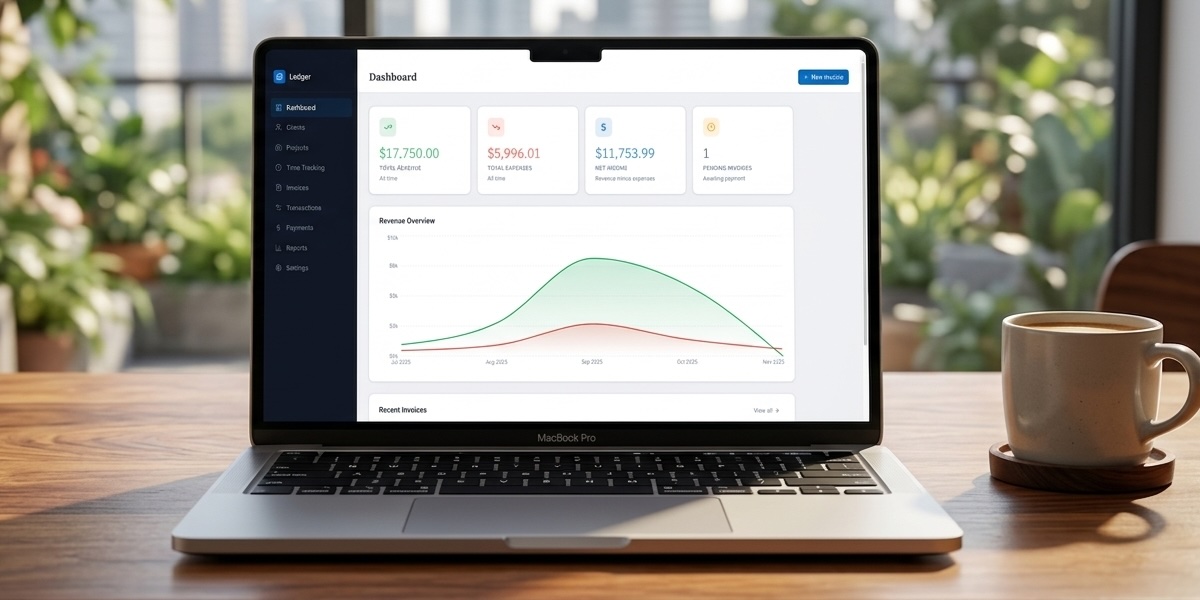
- Runs in any browser — no install required
- Local-first database — data never leaves your device
- Bank & credit card account tracking
- Invoicing & payment collection
- Transaction management & CSV import
- Financial reports & P&L
What is Ledger?
Ledger is a bookkeeping web app for freelancers and small business owners who don’t want to pay $30–50/month for FreshBooks, QuickBooks, or Wave just to send invoices and know where their money went.
It runs entirely in your browser. Your data is stored locally on your device — no server, no account, no subscription.
Who it’s for
- Freelancers and consultants who invoice clients
- Small businesses tracking expenses and revenue
- Anyone paying for QuickBooks or FreshBooks and wondering why it costs this much
What’s inside
Accounts — Add your bank and credit card accounts with starting balances. Track running balances as transactions are recorded. Import your bank CSV directly.
Invoicing — Create professional invoices, track payment status (draft, sent, paid, overdue), and log payments. PDF export built in.
Transaction management — Record income and expenses, categorize them, and import bulk transactions from your bank CSV. Review and categorize imported transactions in one pass.
Payments — Record payments against invoices. Track outstanding balances and payment history.
Reports — Profit & loss, income vs. expenses, invoice summary, and spending by category. Filter by any date range.
Clients & Projects — Manage your client list and link invoices and transactions to projects for project-level reporting.
Why not a spreadsheet?
Spreadsheets break down when you need to track invoices across clients, run a P&L by quarter, or get a clear picture of where your money went. Ledger gives you a proper accounting interface without the monthly bill.
Privacy & data
Ledger runs on PGlite — a local-first database that runs entirely in your browser using IndexedDB. No data is sent to any server. No account required. Your financials stay on your device.
System requirements
- Any modern browser (Chrome, Firefox, Safari, Edge)
- Works on desktop, tablet, or mobile
- Works offline after first load